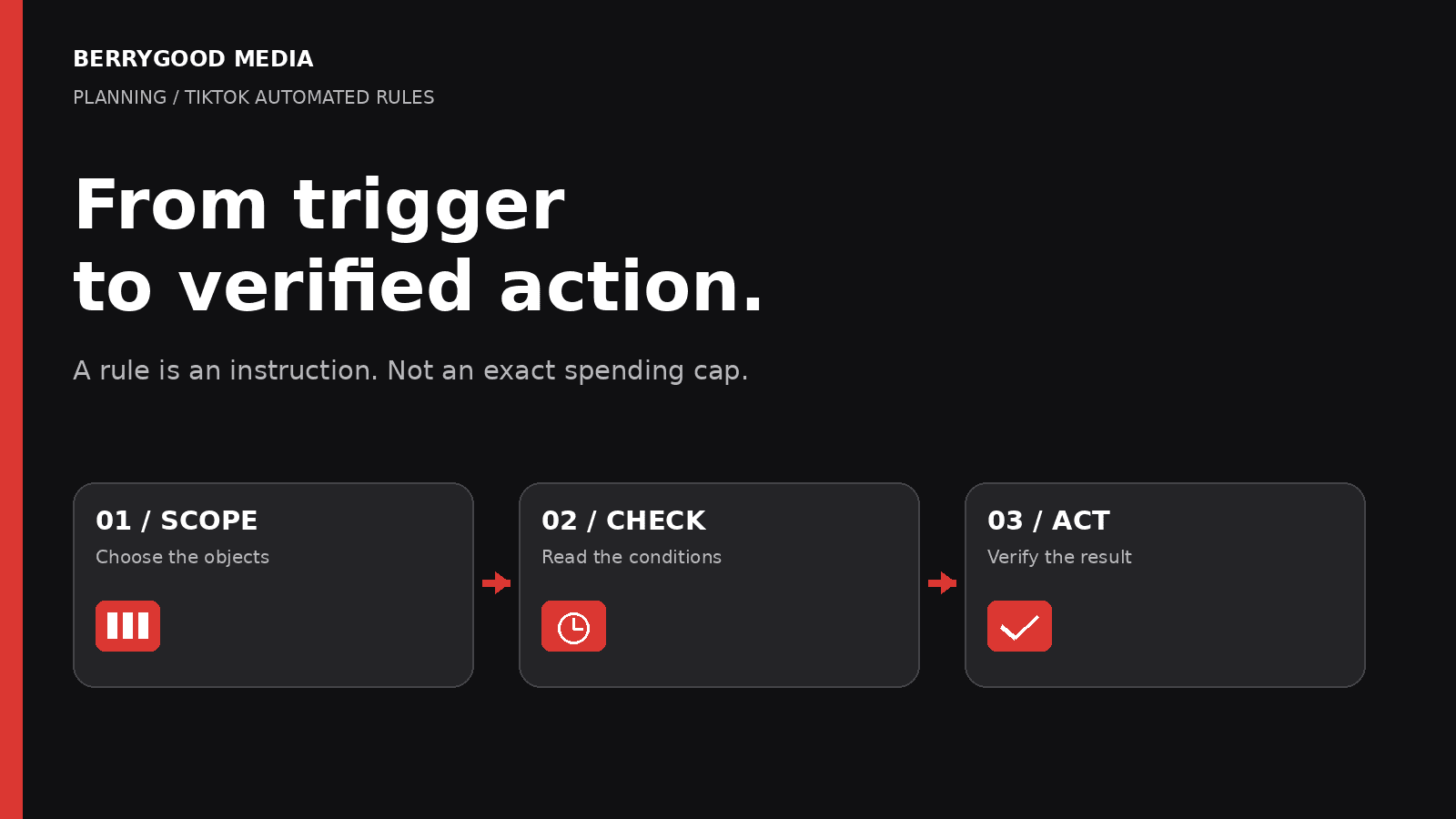
A rule says to pause an ad group when its cost crosses a threshold. The next morning, spend is higher than the number in the rule. That does not, by itself, tell you whether the rule failed.
You need to know which ad groups it covered, which reporting window it read, when it checked, and what action actually ran. A rule is an operating instruction. It is not a promise that every campaign will stop at an exact cost or achieve a particular CPA.
For an app advertiser, this distinction matters before handing routine decisions to automation. Use rules to carry out a defined decision, then preserve enough evidence to explain what happened. For the setup checklist, see “Leave a usable handoff” below.
Start with what the rule should do
TikTok describes Automated Rules as conditional tasks for campaigns, ad groups and ads. Possible uses include notifications, turning delivery on or off, and changing budgets or bids. Those are materially different interventions. An email tells someone to look; it does not itself pause delivery. [1]
Write the intended decision in plain language before configuring it: “If this selected group of app campaigns meets these conditions, notify the assigned reviewer,” or “Pause this eligible ad group and require a review before restarting.”
The second instruction needs more care because it changes delivery without waiting for someone. Decide who owns the rule, who receives the notification, and what evidence would justify a restart. A successful automatic pause should not become an unexplained manual restart later that day.
Check the object, not just the threshold
TikTok calls the selected campaign, ad group or ad an object. A campaign-level condition and an ad-group-level condition can produce different actions from the same account data. [2]
Consider a fictional campaign containing three ad groups with lifetime spend of $40, $70 and $90. With the campaign selected as the single object and cost calculated “of each object,” a rule testing lifetime cost above $150 sees the campaign’s $200 total. Select the three ad groups as the objects and evaluate each separately, and none exceeds $150. The selected object level and the condition’s calculation scope both matter; check both rather than copying the threshold alone. These numbers illustrate scope only; they are not recommended spending limits.
Before enabling a rule, inspect the actual selected objects. Do not assume that a rule named “all app campaigns” includes everything you intended. TikTok's August 2026 creation guide says that, when a selected tier exceeds 500 items, only its 500 most recently created items are included. It also allows up to five conditions per rule. [3]
That page does not specify whether this 500-item selection stays fixed or changes when new objects are created. Do not assume either behavior; verify the saved rule’s actual coverage before relying on it.
Our recommendation: record the intended coverage and compare it with the selection shown in Ads Manager. A memorable name helps a reviewer, but the selection determines the scope.
Define the metric and the reporting window together
“CPA is high” is not a complete condition. Which conversion, which date basis, and which period?
TikTok distinguishes CPA and conversions attributed to the time of the ad impression from real-time CPA and conversions based on when the conversion occurred. Its conditions reference also notes that Cost per Result and Result are not supported at campaign level because a campaign can contain different optimization goals. [4]
That means two apparently similar rules can read different populations of results. Align the metric, time range and optimization goal with the decision you actually intend. Do not compare a lifetime rule result with a Today dashboard column and assume one is wrong.
Zero reported conversions also needs its own treatment. TikTok's best-practice examples separate a high-CPA condition with reported results from a spend condition with no reported results. The same guidance discourages Today as the general time-range choice and names Lifetime or Last X days as common alternatives. This is vendor guidance, not a universal rule for every operating decision. [5]
For an app campaign, no result currently reported is not proof that no user converted. The selected attribution view and reporting delay matter. TikTok specifically warns that SKAN purchase ROAS can be incomplete and delayed. [4] If the measurement signal is unreliable, address that uncertainty rather than treating a low count as a precise performance verdict.
As a practical safeguard before relying on a zero-result trigger, check event and attribution health. Compare the relevant MMP or event-source records with TikTok-reported results using aligned events and reporting windows. Investigate a missing signal rather than assuming the ad stopped producing results. This is our verification recommendation, not a claim that these systems should always show identical counts.
Separate the check schedule from the outcome
TikTok's creation guide defines Continuously as a check every 30 minutes. Custom limits those checks to chosen days and periods; Once runs at a specified date and time and then turns the rule off. The time-zone converter uses account time for logs after conversion, and TikTok warns that a scheduled UTC time remains fixed across a daylight-saving change. [3]
The word continuously therefore does not mean an uninterrupted, instant reaction to every change in spend.
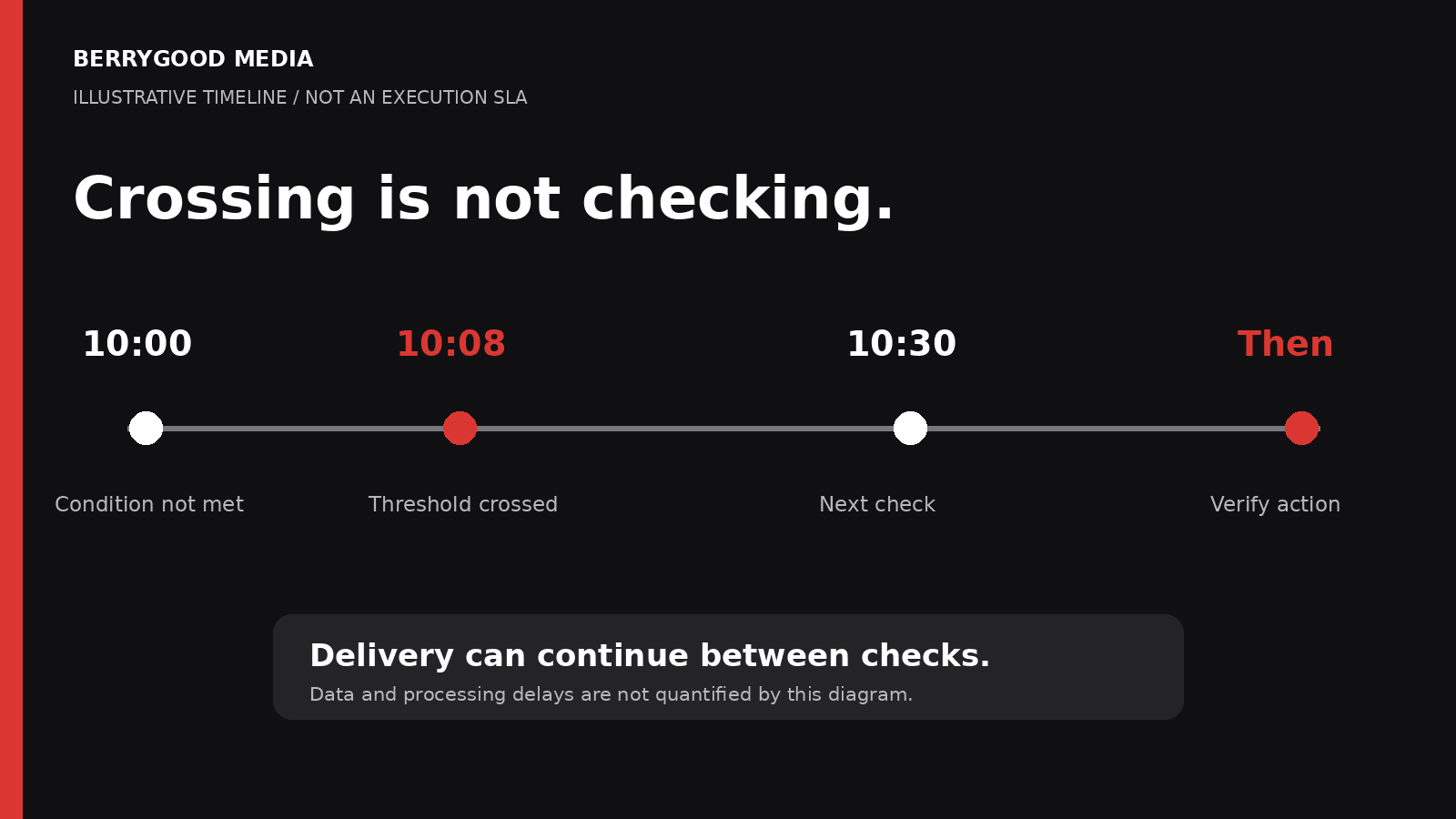
An illustrative timeline makes the gap clear:
- 10:00: the rule checks; its condition is not met.
- 10:08: the underlying metric crosses the chosen threshold.
- 10:30: the next scheduled check evaluates the available data; reporting delay may mean the crossing is not visible until a later check.
- Afterward: the reviewer verifies the recorded action and the object's current state.
This is a synthetic explanation of periodic checks, not a promised execution schedule or processing deadline. TikTok's lag guidance explicitly describes a threshold being exceeded between checks. It suggests leaving room below the intended threshold. [6]
That headroom is a risk-management choice, not a guaranteed overspend allowance. The article does not establish a maximum reporting delay, execution latency or amount that could accrue before delivery stops. If the business needs a firm spending boundary, review the actual budget and spending controls available for that account separately. Do not relabel a pause rule as an exact financial cap.
Review how multiple conditions and rules interact
TikTok describes conditions within one rule as an AND relationship: they must be satisfied together. Separate rules provide an OR-style combination because either rule can trigger independently. [7]
That distinction is useful for separating two questions: whether a campaign has spent enough to warrant attention, and whether its reported efficiency is outside the agreed range. Putting both into one rule is not equivalent to creating two independent notifications.
Review the wider rule set before adding another action. As an editorial safeguard, look for a rule that raises a budget while another pauses the same object, or a scheduled activation that could undo the team's intended hold. Do not assume a particular priority order or conflict resolution unless TikTok documents it for the setup being used.
A practical starting point is a notification-only trial where that action is available. Inspect which objects would attract attention and whether the reporting window makes sense before delegating a delivery change. That is our workflow recommendation, not a TikTok guarantee that a trial predicts every later action.
Verify the action, not just the alert
TikTok's November 2025 management guide gives the path Campaigns → Automated Rules → Manage Rules, then Operation Log. Treat that as the path documented on that page, and check the current interface if its labels differ. It says the log shows when a rule ran and which actions were taken. [8]
Use that record to answer a short sequence of questions: Did this rule run? Did it cover the intended object? What action is recorded? Does the object's current status or setting agree? Was there a subsequent manual change or another rule?
A notification arriving is not sufficient evidence that delivery paused. Similarly, an object being off now does not identify which action turned it off. Preserve the timestamps and exact object IDs so another reviewer can follow the sequence without guessing.
If the expected action is absent, investigate the selection, metric, schedule and recorded outcome before repeatedly editing thresholds. If an action did occur, check whether the business decision still makes sense. Automation can execute an instruction faithfully even when that instruction used an unsuitable metric.
Confirm eligibility in the campaign you actually run
Public guidance is not perfectly synchronized. The August 2026 creation page lists reservation ads, Promote ads and campaigns created in TikTok Shop Seller Center as unsupported. The November 2025 management page still lists iOS 14 Dedicated Campaigns, Reach and Frequency and Smart Performance Campaigns. [3][8]
Meanwhile, the August 2026 upgraded Smart+ guide explicitly says Smart+ campaigns have automated rules, with rollout availability caveats. It also warns that bid adjustments under automatic campaign budgets apply across all ad groups. [9]
Do not turn the older exclusions into a blanket claim that every Smart+ campaign is unsupported, or turn the newer announcement into a claim that every account has the same controls. Check the objective, campaign generation, budget strategy and actual rule selection in the account. If eligibility is unclear, resolve it before depending on the rule for unattended changes.
Whether a particular automated budget or bid change affects a campaign’s learning phase is outside this article’s scope. Check the current guidance for the specific campaign and change before enabling that action.
Leave a usable handoff
Use this brief before enabling a rule:
- Intended objects and scope
- Metric and reporting window
- Conditions
- Schedule and time zone
- Action
- Notification recipient
- Verification owner
- Restart or rollback decision
Keep the rule distinct from the campaign's business brief. The app business defines acceptable acquisition economics and customer quality. The media team translates the agreed decision into available controls and verifies the result. An automated action cannot settle an undefined business tradeoff.
The useful question is not “Did we turn automation on?” It is “Can we explain what this rule will evaluate, what it can change, and how we will know that it did?”
Sources and scope
Primary documentation checked November 13, 2026. Platform behavior above comes from TikTok's public guidance. No advertiser account interface was inspected for this article. Account availability, displayed labels and rollout should be verified before use. Examples are fictional; no client data, benchmarks or guaranteed results are presented. The review and handoff workflow is BerryGood Media's editorial recommendation.
[2] About Objects in Automated Rules
[3] How to create and apply Automated Rules
[5] Best Practices for Automated Rules
[6] How to troubleshoot time lag
[7] About Automated Rules relationships